VENUSHUB MONITOR
Live Stream Monitoring for Video and Audio, 24/7
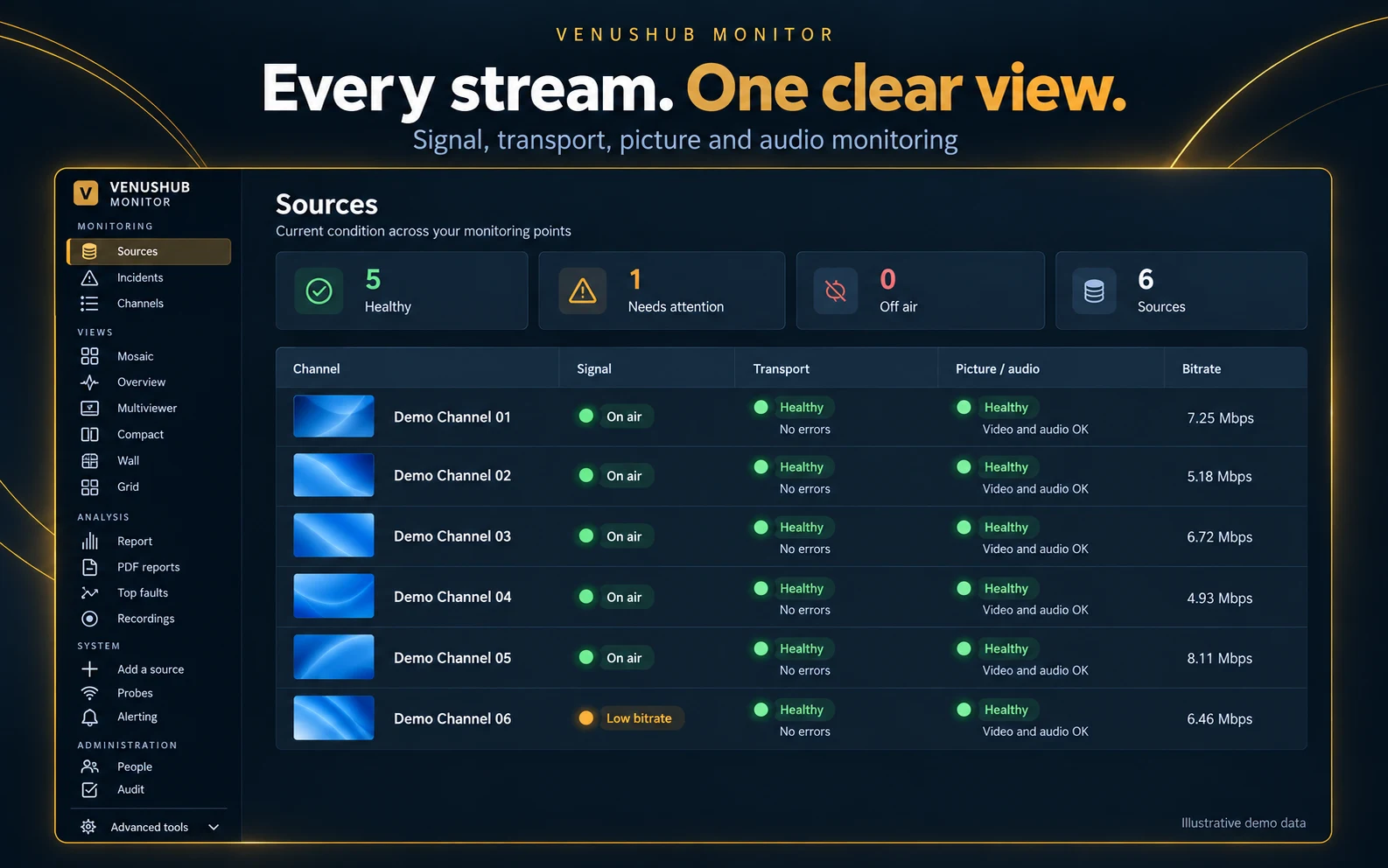
VenusHub Monitor provides live stream monitoring around the clock for SRT, HLS, DASH, UDP/RTP and RIST channels, checking the transport stream, the picture and the sound. It alerts your team the moment something goes wrong and shows exactly where the fault started, for broadcasters, teleports, OTT platforms, channel distributors and CDN operators.
EVERY INPUT YOU USE
Monitor every protocol, in the cloud or on site
- SRT (caller or listener, with encryption), HLS and DASH, UDP/RTP unicast and multicast, RIST and HTTP transport streams
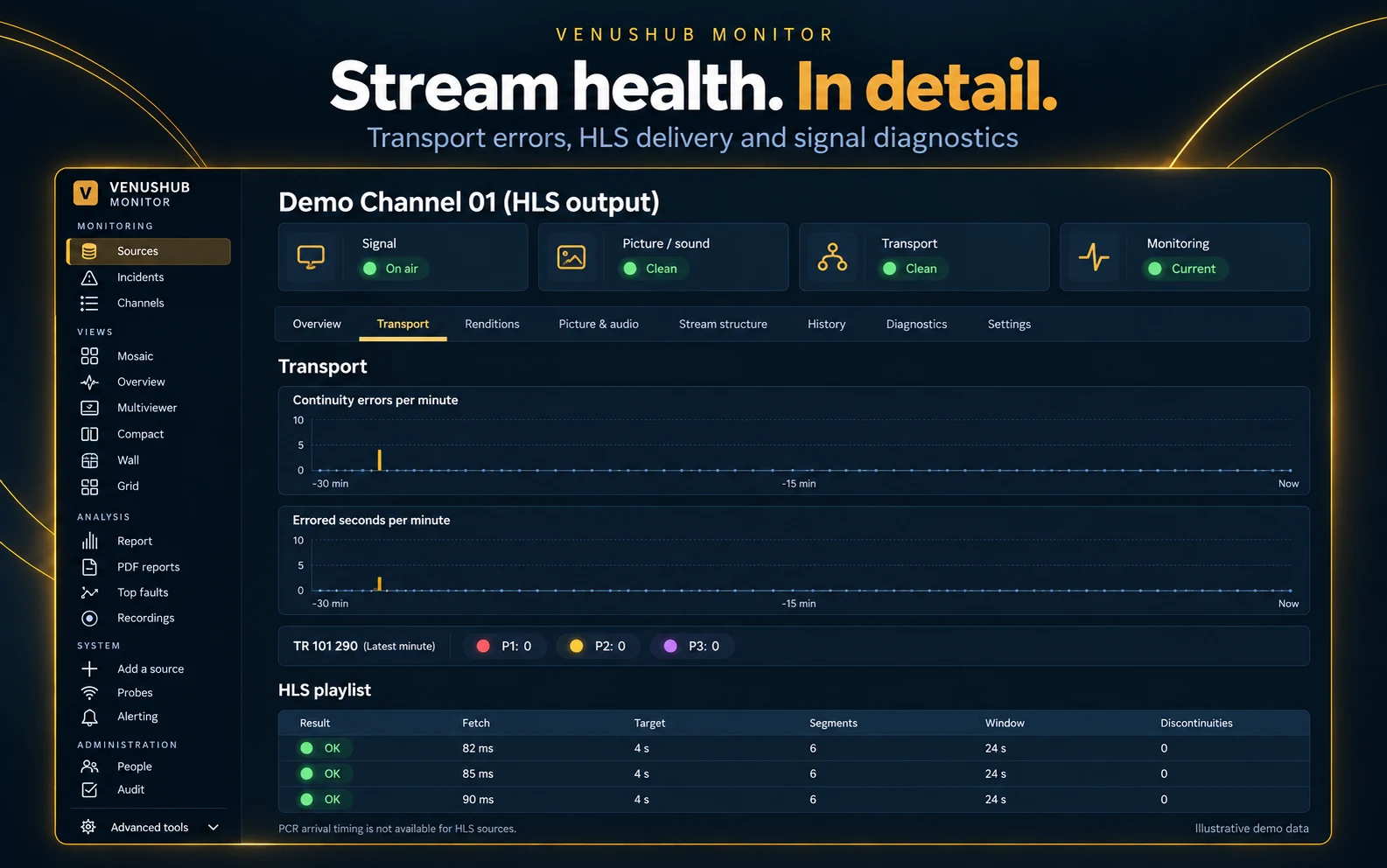
- Checks your HLS playlists and every rendition of your bitrate ladder
- Monitor in the cloud, or at your own sites with remote probes, from a single dashboard
TRANSPORT STREAM ANALYSIS
Transport stream analysis (TR 101 290)
- Priority 1 and 2 errors: continuity errors, sync loss, PAT/PMT repetition, PCR accuracy and transport errors
- Lost packets and errored seconds, minute by minute
- Bitrate per channel and per PID, plus service, PID and table changes
- Subtitle and teletext presence
PICTURE & SOUND
Picture and sound checks
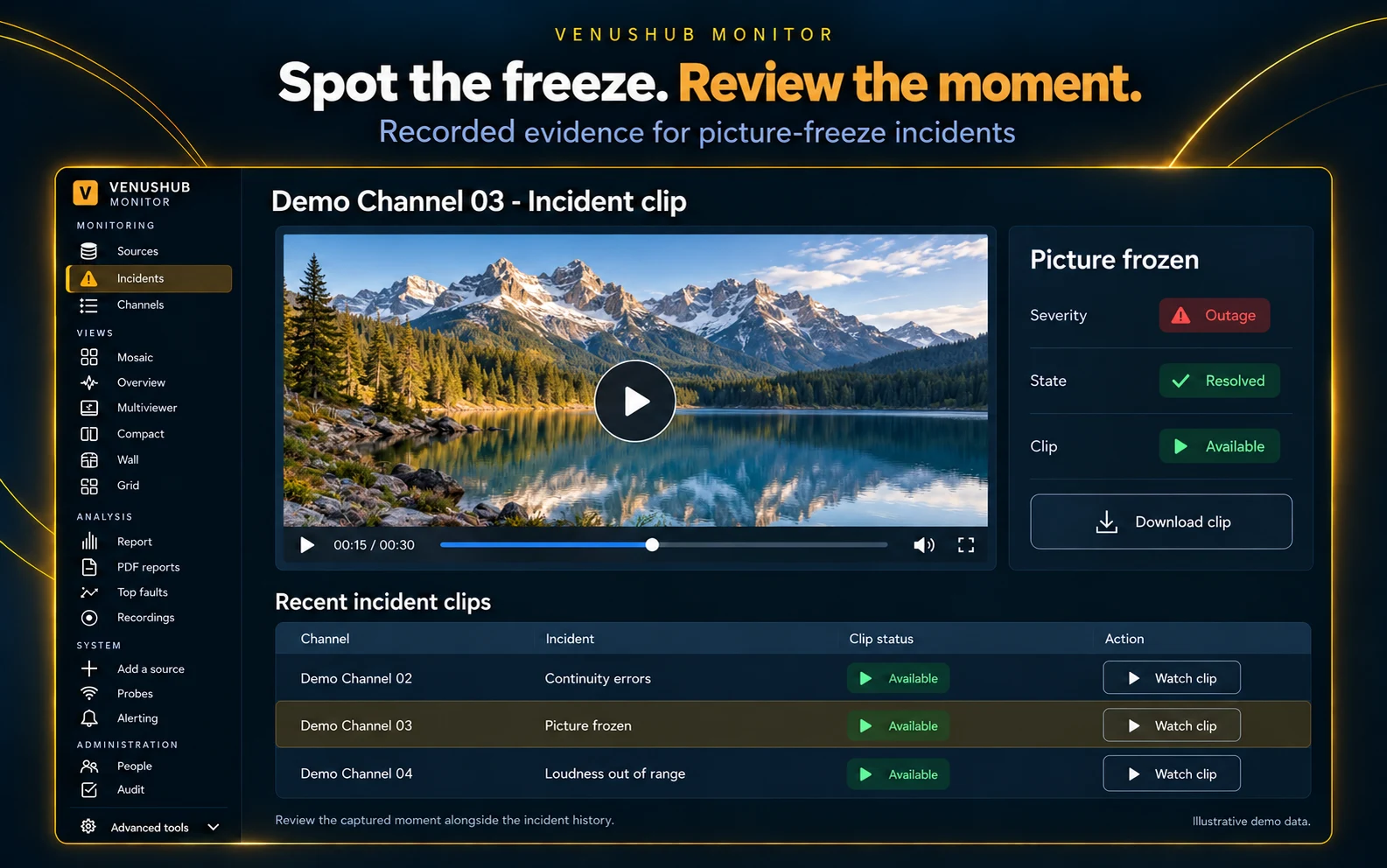
- Black and frozen picture
- Silence and audio loss
- Loudness to EBU R128 (LUFS, true peak, loudness range)
- Decoding errors in the video and audio
ALERTS & EVIDENCE
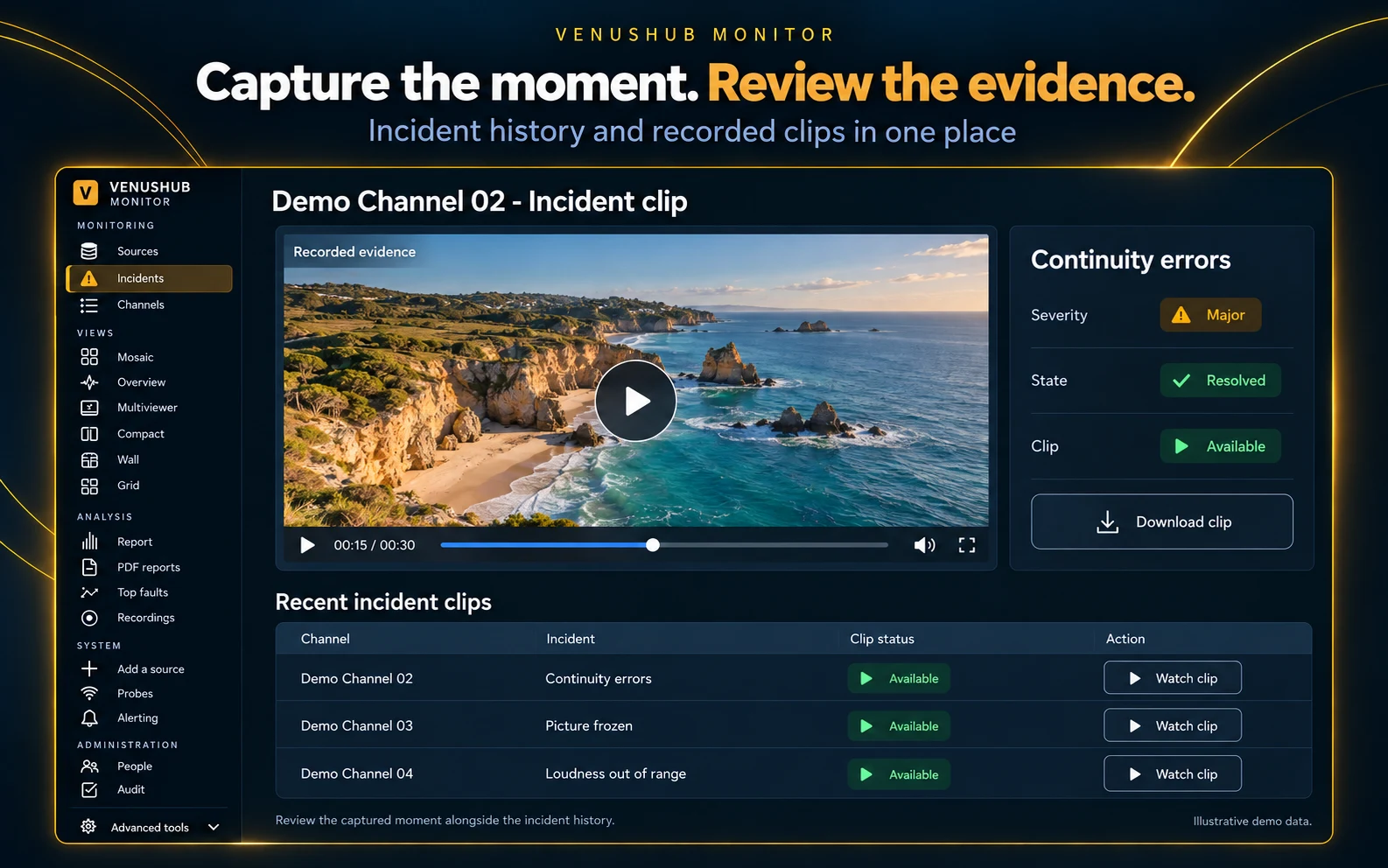
Alerts, incidents and evidence
- Instant alerts by email and Telegram, routed to the right team
- Incidents to acknowledge, assign and resolve, with severity levels
- An automatic video clip of every fault, so you can see what viewers saw
- Maintenance windows and mutes, so planned work raises no false alarms
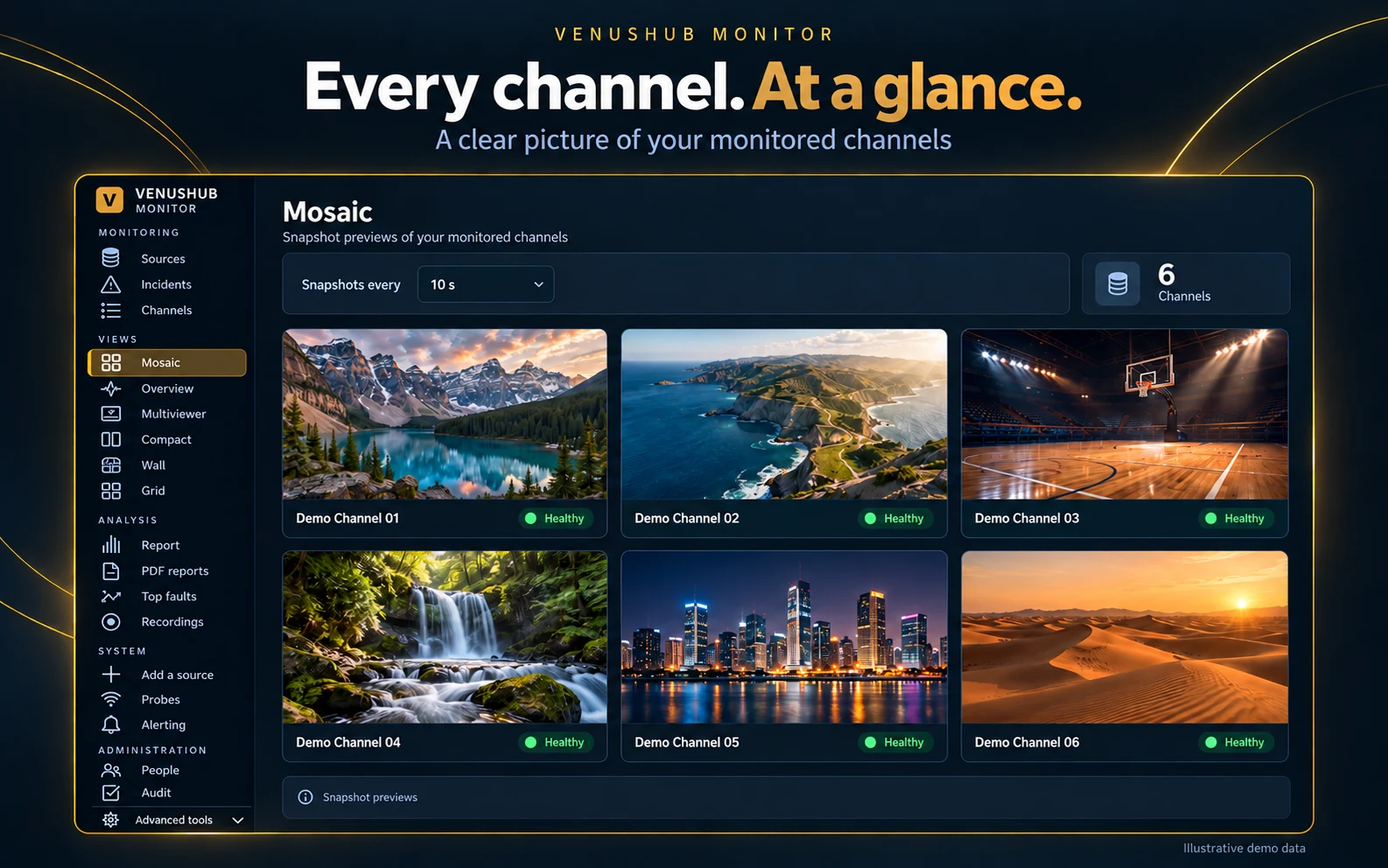
- A multiviewer and a video wall of all your channels
FAULT ORIGIN REPORT
Find where faults really start
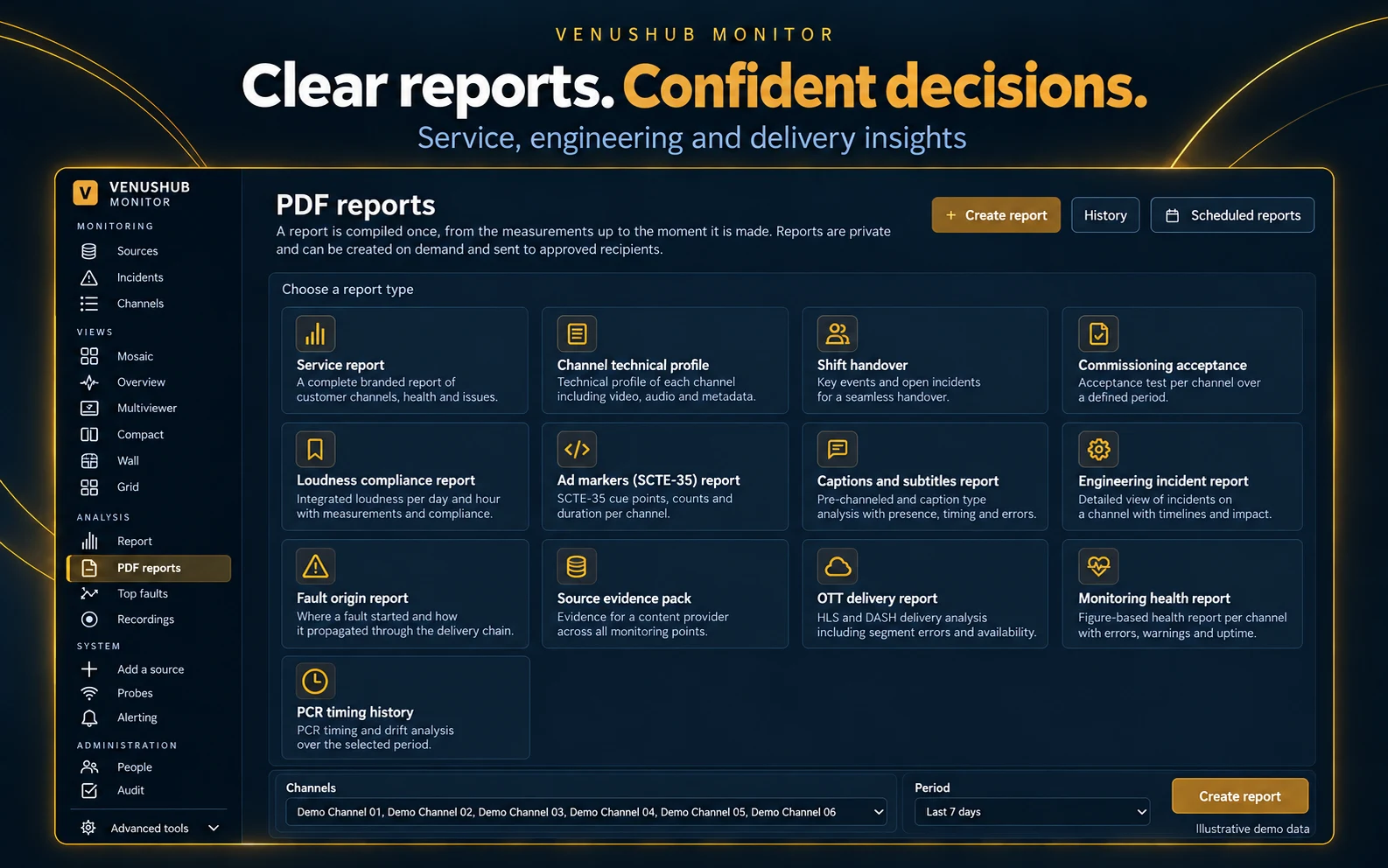
Monitor the same channel at several points, from the head-end and encryption through the CDN edge to the last mile. The fault origin report compares them and shows whether an error came from the source, the network or the delivery. That ends the finger-pointing between your provider, your CDN and your team.
REPORTING
Reports for your team and your customers
- Daily, weekly and monthly service reports as PDFs: availability, errors and incidents per channel
- Scheduled reports, approved before they’re sent
- A customer view and API keys, so your own clients see only their channels
BUILT FOR OPERATORS
Control, access and integrations
Roles for viewers, operators, engineers and admins, with an audit log of every change.
Single sign-on, a REST API and Grafana dashboards.
An interface in English, Greek and Arabic.
WHO IT’S FOR
For anyone who delivers live channels over IP
Frequently asked questions
Which protocols do you monitor?
SRT (caller or listener, with encryption), HLS and DASH, UDP/RTP unicast and multicast, RIST and HTTP transport streams. For HLS, VenusHub Monitor checks your playlists and every rendition of your bitrate ladder.
What does it check in the transport stream?
TR 101 290 Priority 1 and 2 errors, including continuity errors, sync loss, PAT/PMT repetition, PCR accuracy and transport errors, plus lost packets and errored seconds minute by minute, bitrate per channel and per PID, and subtitle and teletext presence.
Does it check the picture and sound?
Yes. It detects black and frozen picture, silence and audio loss, and decoding errors in the video and audio, and measures loudness to EBU R128 (LUFS, true peak and loudness range). An automatic video clip of every fault shows what viewers saw.
Do I need to install anything?
No. We monitor from the cloud. For channels inside your own network, a small remote probe runs at your site, and cloud and on-site monitoring appear together in a single dashboard.
Can you show where an error comes from?
Yes. Monitor the same channel at several points, from the head-end and encryption through the CDN edge to the last mile. The fault origin report compares them and shows whether an error came from the source, the network or the delivery.